
A Bitget Trading Journal That Syncs Spot and USDT Futures Trades
Paste a read-only Bitget API key and your closed spot and USDT futures trades sync into the journal every day. No VPS and nothing to install. Updated 26 October 2026
How the Bitget Connection Works
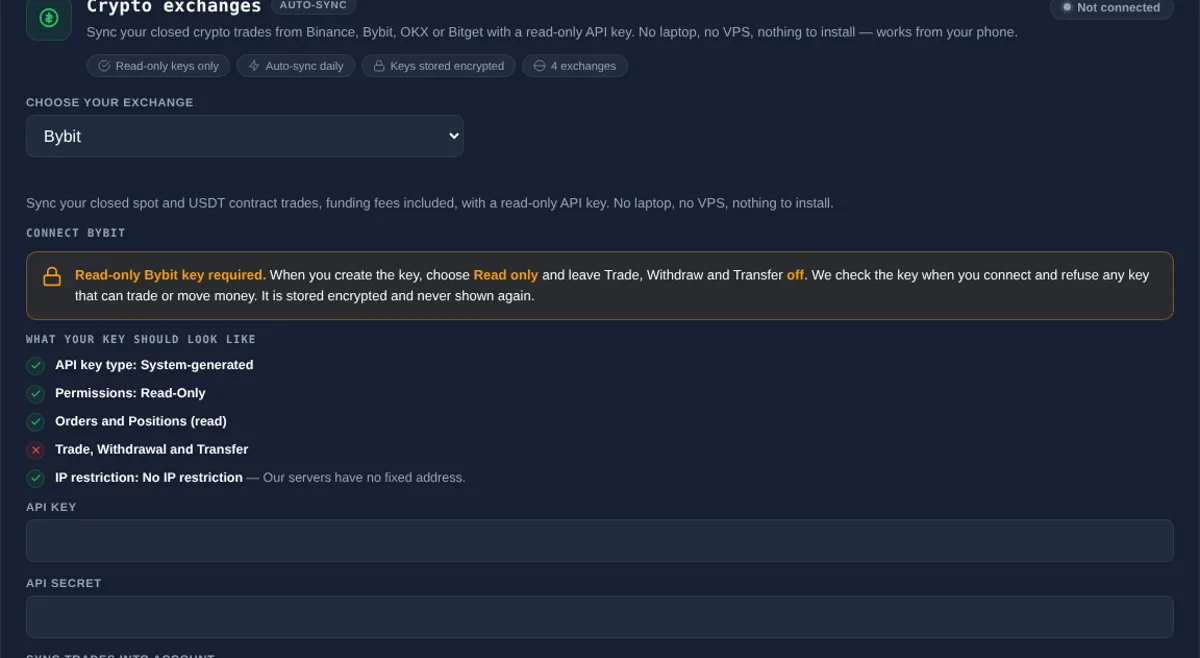
Open Connections, find the Crypto exchanges card and choose Bitget from the drop-down, and follow the short steps on the card. Nothing has to be running on your side once it is connected, so it works from your phone and does not need a VPS, a laptop left on or an Expert Advisor.
- Create a read-only key. In Bitget open API Keys, create a system-generated key with a passphrase and set the permission to Read only. Leave Trade, Withdraw and Transfer off.
- Paste it in Connections. Choose Crypto exchanges, pick Bitget, paste the key, secret and passphrase, tick the box confirming the key is read-only, then pick the account and start date.
- We check the key. Where Bitget reports what the key can do, The Trading Terminal refuses a key that can trade or move money. You also have to confirm the key is read-only before Connect unlocks.
- Sync. Your recent history imports in a few moments, then new trades sync once a day. Sync now pulls the latest on demand.
Read-Only, Checked Twice
Exchange keys can usually do far more than read, so The Trading Terminal asks for the minimum and checks it. The key you create should have: Read only. Leave Trade, Withdraw and Transfer off. Leave the IP whitelist empty.
- Connect stays locked until you tick a box confirming the key is set to read-only.
- Where the exchange reports what a key can do, a key that can trade, withdraw or transfer is refused.
- Every request is a read. The Trading Terminal never places, changes or closes an order and never moves funds.
- Credentials are stored encrypted, are never shown again and are deleted when you disconnect.
What Gets Imported
Only closed trades are imported. Individual fills are grouped into round trips, so a position built up over several orders becomes one trade in the journal. Bitget only keeps about three months of fills, so a first sync reaches back that far. After that The Trading Terminal keeps what it has imported.
| Field | How it is filled |
|---|---|
| Symbol and direction | Spot pairs and USDT futures; futures can be long or short |
| Quantity and price | Quantity-weighted average entry and exit across partial fills |
| Open and close time | First opening fill and last closing fill, stored in your own timezone |
| Fees | Trading fees included |
| Net P&L | Gross result minus fees, in USDT |
Everything else, such as setup, confluences, mistakes, emotion, grade, notes and screenshots, you add in the journal. Synced trades never overwrite your notes, grade or tags, and syncing the same trade twice never creates a duplicate.
What It Does Not Do
- It does not place, modify or close trades, and it does not move funds or change exchange settings.
- Funding payments are not included yet.
- Coin-margined contracts.
- Open positions, until they close.
- Fills older than about three months on the first sync, which is how much Bitget keeps.
- For other platforms see the cTrader trading journal, MT5 trading journal and MT4 trading journal pages, or import a CSV.
What You Can Analyse Once Trades Are In
Synced trades feed the same analytics as any other trade: trading analytics such as Trader DNA, the Edge Score and Mistake Cost Analysis, and Risk Desk for daily loss limit and drawdown tracking from your closed trades. Pair it with the crypto trading journal guide for how to journal a market that never closes.