
Trading Journal Software: What It Does and How to Choose It
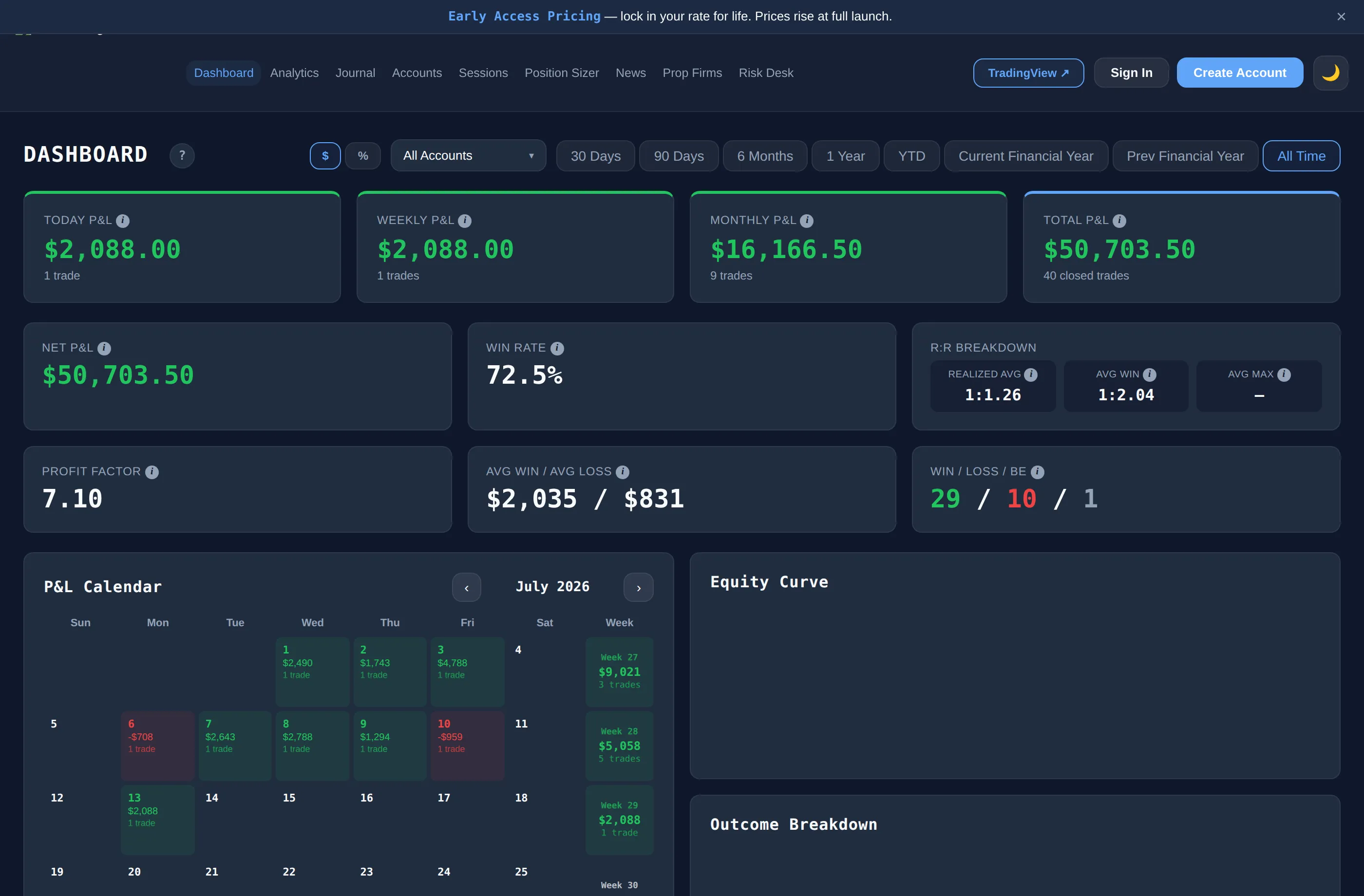
Trading journal software records your trades and works out what your results say: win rate, expectancy, and profit by setup, session and mistake. The Trading Terminal is browser-based trading journal software with a free plan (1 account, 30 trades a month, 90 days of dashboard history). It imports closed trades only and gives no advice. Updated 18 October 2026.
By Harrison Weaver, founder of The Trading Terminal
What is trading journal software?
Trading journal software is a program or web app that records each trade you take and turns the log into statistics: win rate, expectancy, profit factor and results split by setup, session, instrument and mistake. Unlike a spreadsheet, it validates entries, imports closed trades from your platform and updates every number the moment you save a trade.
The point is not to collect data for its own sake. A journal answers questions a trader cannot answer from memory: which setup actually pays, which session loses money, and which habit repeats. Read the trading journal guide for how to keep one; this page is about choosing and using the software.
| Spreadsheet | Journal software | Broker statement or generic app | |
|---|---|---|---|
| Cost | Free | Free plans and paid plans | Free, included with the account |
| Entry | Type every row | Forms, tags and imports | Automatic, but no context |
| Statistics | Formulas you write and maintain | Calculated for you | P&L and basic charts |
| Why you traded | Notes column at best | Setup, confluence, mistake, emotion fields | Not recorded |
| Limits | Your own discipline | Plan limits (trades, accounts, history) | No journal fields |
What should trading journal software do?
Use this checklist when you compare tools. Each point separates a journal from a trade log:
- Record the reason, not just the result. Setup, confluences, session, mistakes, emotion and a grade for execution.
- Bring trades in without retyping. CSV import at minimum; automatic import from your platform if you trade enough to need it. Import should be read-only and cover closed trades.
- Calculate honest statistics. Win rate, expectancy and profit factor should have published definitions. Ours are on the how we calculate page.
- Let you slice the data. Filter by setup, session, instrument, account and date, and compare the groups.
- Handle more than one account type. Live, demo, prop firm and backtest accounts should stay separate.
- Show risk, not only profit. Daily loss and drawdown tracking matters if you trade an account with limits.
- Let you leave. Look for export. A journal you cannot take with you is a lock-in.
- Be clear about cost and limits. Trade caps, account caps and history windows should be easy to find.
What is included in The Trading Terminal by plan?
The Trading Terminal is browser-based trading journal software for live, demo, prop firm and backtest traders in any market (forex, futures, crypto, indices, commodities and more). Prices are in Australian dollars. Details are on the pricing page.
| Free | Pro | Elite | |
|---|---|---|---|
| Price | A$0, no card | A$19/mo or A$189/yr | A$29/mo or A$249/yr |
| Accounts | 1 | 3 | Unlimited |
| Trades | 30 a month | Unlimited | Unlimited |
| Dashboard history | 90 days | All-time | All-time |
| Trade journal, P&L calendar, CSV import and export | Yes | Yes | Yes |
| Analytics: 60+ views, Mistake Cost Analysis, Trader DNA, Edge Score | No | Yes | Yes |
| Risk Desk, Trade Lab, cTrader and MT4/MT5 imports | No | No | Yes |
| Screenshots per trade | 1 | 5 | 5 |
Elite has a one-time 7-day trial that needs a card. The Free plan does not. There are no ads on any plan.
How does trading journal software import trades?
Every import in The Trading Terminal is a read-only import of closed trades. Nothing is placed, changed or withdrawn through it.
- CSV import (every plan). Presets for MT4/MT5, cTrader and Tradovate exports, plus a generic layout with column mapping and a timezone choice. Imported trades count towards the Free plan's 30 a month.
- cTrader (Elite). Connects through OAuth and reads closed positions about every two minutes. See the cTrader trading journal page.
- MT4 and MT5 (Elite). A free Expert Advisor sends trade events while your platform is running. See the MT5 trading journal and MT4 trading journal pages.
- Tradovate. CSV only: there is no direct connection. See the Tradovate trading journal page.
Platforms without a preset can still use the generic layout if you can export closed trades as a CSV file with the same kinds of columns.
What does this software not do?
- No signals, no trade ideas and no advice. Everything it shows describes your own history.
- No AI features and no trade replay.
- No native mobile app. It runs in a phone browser; see the trading journal app page.
- Open positions are not counted. Win rate, expectancy, drawdown and Risk Desk figures use closed trades only.
- It does not place trades or touch your broker account.
How do you test journal software in a week?
- Sign up for a free plan and add the one account you trade most.
- Import your last month of closed trades from a CSV export, or log five trades by hand, and see how long it takes.
- Tag every trade with a setup and, where it applies, a mistake. Count the clicks per trade.
- At the end of the week open the dashboard and ask whether it told you something you did not already know.
- Export your data once, to be sure you can leave.
If the software is slower than your spreadsheet, you will stop using it. That test matters more than any feature list. Start from the free trading journal page for exactly what is included at no cost.