
A Tradovate Trading Journal With CSV Import and Drawdown Tracking
Export your closed trades from Tradovate, import the CSV, then review them by setup, session and mistake. It works for personal and prop firm futures accounts. Updated 18 October 2026
How the Tradovate Import Works
The Trading Terminal does not log in to Tradovate. You export your closed trade history from Tradovate as a CSV file and import it, and the journal builds its analytics from those closed trades.
- Export from Tradovate. The in-app import guide lists the path as Reports → Trade History → Export. Menu names can change between Tradovate versions, so check against what you see.
- Import the file. In the journal, open the CSV import, choose the account the trades belong to and add the file. The Tradovate layout is recognised from its Buy/Sell and Qty columns, so there is nothing to map.
- Pick the timezone. The import has an optional timezone setting for the times in the file. Setting it keeps session and daily breakdowns lined up with the day you actually traded.
- Tag what you traded. Add the setup, confluences, mistakes, emotion and discipline ratings and screenshots to each imported trade. This is the part that makes the analytics useful.
If you import an overlapping export, trades already in the journal are skipped and the message tells you how many.
What Comes Across From the Tradovate File
| Tradovate column | In the journal |
|---|---|
| Buy/Sell | Direction: a Buy is logged as Long and a Sell as Short |
| Qty | Position size, in contracts |
| Symbol | The contract symbol |
| Entry Time, Exit Time | Open and close time |
| Entry Price, Exit Price | Entry and exit price |
| PnL | Gross P&L |
| Commission | Fees. Net P&L is the PnL minus the commission, and Win, Loss or Break Even is worked out from that |
Every imported row is a closed trade, so it counts in trading analytics straight away. See how we calculate for how win rate, expectancy and profit factor are worked out.
What the Export Does Not Include
- No stop loss or take profit. The Tradovate export has no stop-loss column, so imported trades arrive without a planned R:R. Analytics that depend on planned risk need that information added another way.
- No setups, mistakes or emotions. Those live in your head, not in the export. Setup performance and Mistake Cost Analysis only have something to rank once you have tagged the trades.
- No live connection. Automatic imports exist for cTrader and for MT5 and MT4 (both on Elite). Tradovate comes in by CSV, on every plan.
Tracking Trailing Drawdown on a Futures Account
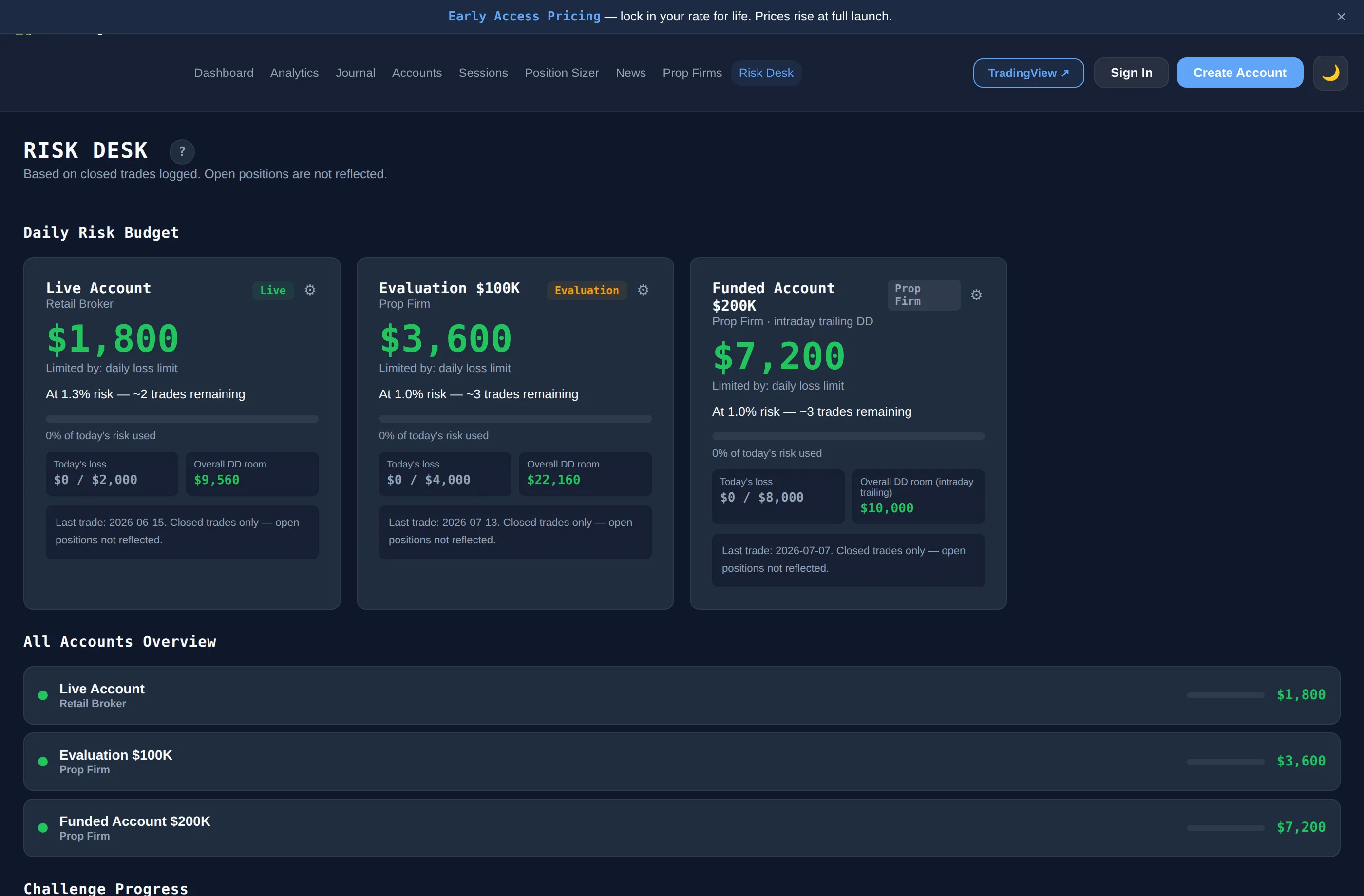
Many futures prop firm accounts are judged on a trailing drawdown as well as a daily loss limit, and firms define the trailing floor differently. On Elite, Risk Desk lets you set each account to one of three types, using the numbers from your own firm's rules:
- Static max drawdown. A fixed floor below the starting balance.
- Intraday trailing. The floor moves up as soon as the account reaches a new high.
- End-of-day trailing. The floor only moves at the daily close, with the reset set to your local time, the CME close or the FX close.
Risk Desk then shows a daily risk budget and Distance to Breach bars for the daily loss and the drawdown. It works from closed trades only, so it does not see floating profit or loss on an open position, and your firm's own dashboard remains the official figure. More on this in prop firm risk management.
Futures Contracts and Position Sizing
The journal's symbol list covers the CME contracts most futures day traders use, in full-size and micro versions where they exist: NQ, ES, YM and RTY, gold (GC and MGC), silver (SI and SIL), crude oil (CL and QM), natural gas and the Treasury contracts ZB, ZN and ZF. The in-app position sizer includes NQ, ES, GC, MGC, SI and SIL, and can pull its risk figure from your Risk Desk budget. Sizing is arithmetic on the numbers you enter, not advice on how much to risk.
For what to log on each futures trade, and how the journal fits ES, NQ and CL traders, see the futures trading journal page.