
A Forex Trading Journal for Your Live Account
Log every live forex trade with setup, session and mistake tags, see the equity curve and P&L by setup and session, and track the loss limits you set yourself. Updated 18 October 2026
What is a forex trading journal?
A forex trading journal records each currency trade in pips and in money, with the pair, session, lot size, costs and the reason you took it. It shows which pairs, sessions and setups make money after spread, commission and swap, and which habits give it back.
The free .xlsx template for forex traders is further down.
What a Live-Account Journal Records
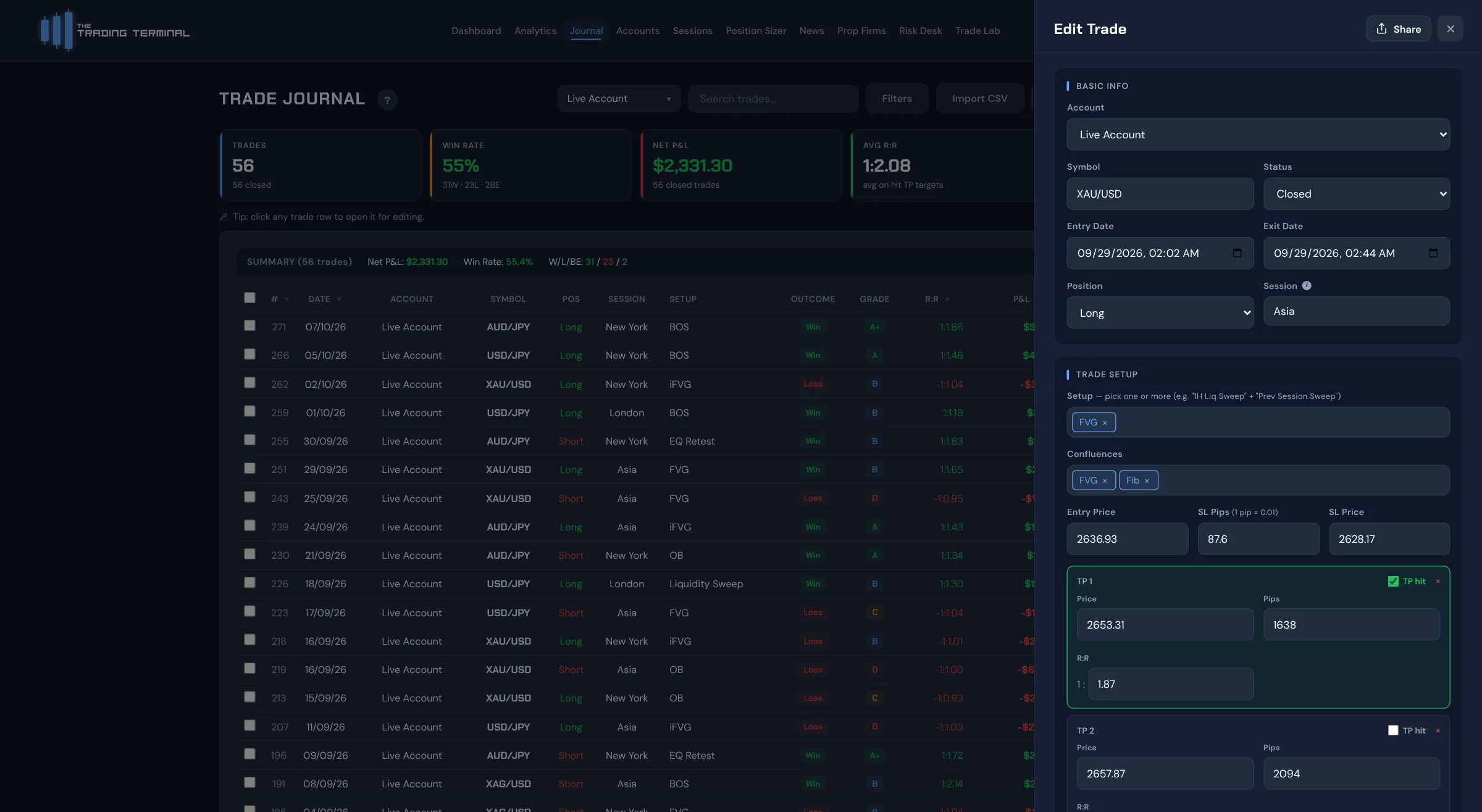
A forex trading journal for a live account is a record of each trade and the decisions around it, kept so results can be reviewed against something other than memory. In The Trading Terminal each trade can carry the pair, direction, entry and exit, lots, planned and actual R:R, setup, session, confluences, mistakes, emotion and discipline ratings, a grade, notes and screenshots. The session is filled in from the entry time, and most fields are single-click tags once your setup and mistake lists exist.
- Free: the full journal and dashboard for 1 account, up to 30 trades a calendar month, with 90 days of P&L history on the dashboard.
- Pro (A$19/mo): unlimited trades, 3 accounts and the full Analytics page.
- Elite (A$29/mo): unlimited accounts, Risk Desk, Trade Lab and broker connections.
Equity Curve and P&L Calendar
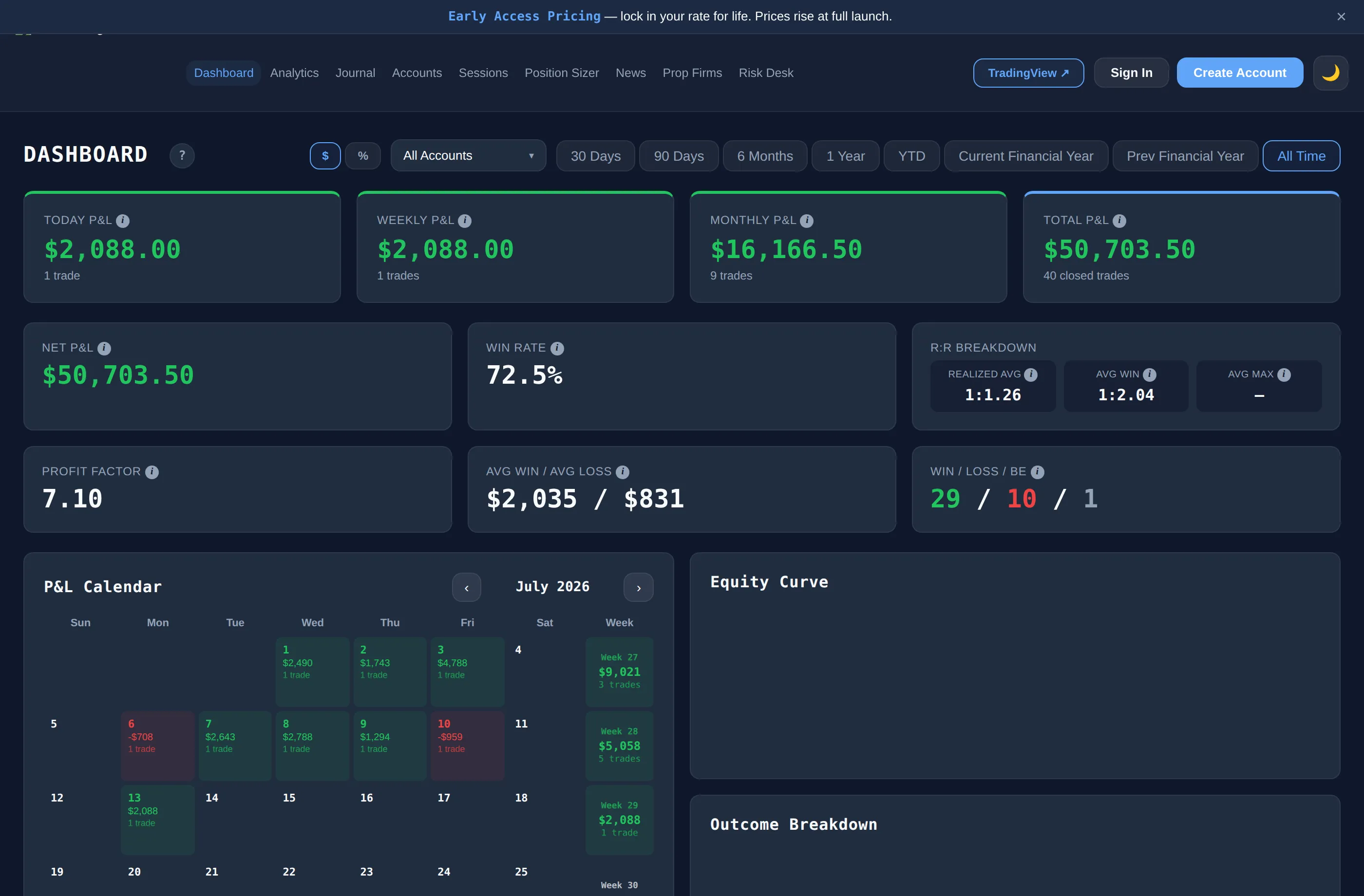
The dashboard plots the equity curve for the accounts you select and a P&L calendar that colours each trading day, with stat tiles for win rate, expectancy and profit factor. You can filter by account, so a live account's curve is not mixed with a demo or backtest account. On the Free plan the dashboard shows the last 90 days.
Mistake Tags and What They Add Up To
Tag a trade with a mistake such as moved stop, oversized or chased entry, and Mistake Cost Analysis (Pro) adds up the net P&L of the trades carrying each tag, ranked from the lowest total upwards. It describes what those tagged trades produced; it does not estimate what the trades would have made without the mistake. The Mistake Cost article and how we calculate explain the arithmetic.
P&L by Setup and Session
The dashboard has a Setup Performance chart, the Sessions page shows per-session results, and on Pro the Analytics page and Trader DNA break results down by instrument, session, setup, direction, timeframe, grade, day of week, market conditions and confluence. That is how you can see, for example, whether London and New York trades or two different setups have behaved differently in your own history. Smaller samples move a lot with each trade, so the numbers are descriptions of your logged results, not forecasts. For intraday styles, the day trading journal page covers session-by-session review.
Your Own Loss Limits
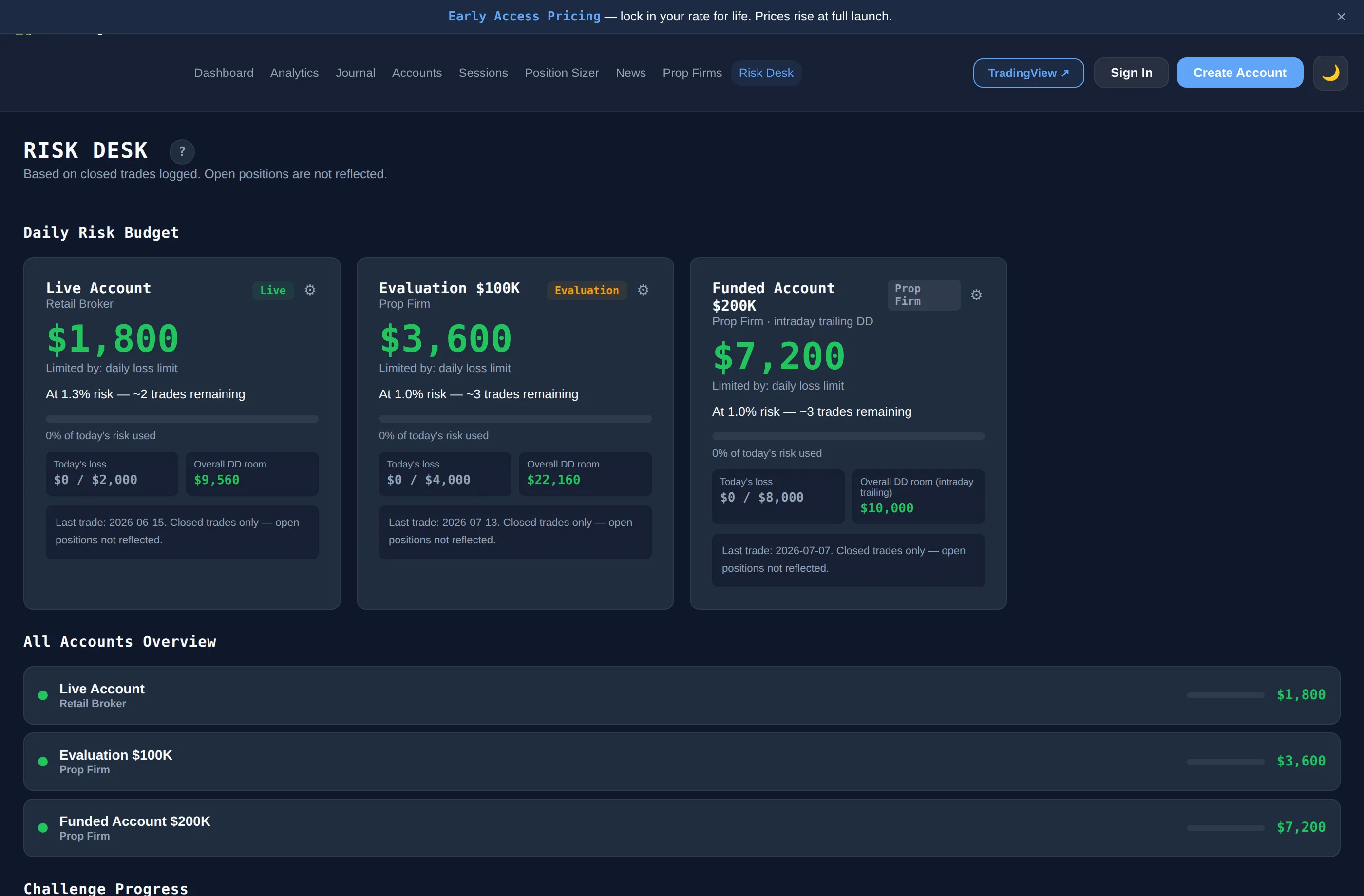
On a live account there is no firm setting the rules, so any limits are the ones you choose. On Elite, Risk Desk lets you enter a daily loss limit and a max drawdown for an account and works out a daily risk budget and distance-to-breach bars from your closed trades, with alert banners at 70% and 90% consumed. It reports where your logged results stand against the numbers you entered. It does not stop you placing a trade, and open positions are not counted until they close. The free lot size calculator turns a risk percentage and stop loss into a position size.
Bringing Trades In
You can type trades in, import a CSV (MT4/MT5, cTrader, Tradovate or a generic layout), or on Elite connect an account so closed trades arrive on their own: see the cTrader trading journal, MT5 trading journal and MT4 trading journal pages. The in-app lot size calculator covers 25 instruments, including the major forex pairs and XAU/USD.
How do you measure a forex trade in pips and in R?
Forex is quoted in pips, so a journal should record the result in pips as well as money. A pip is 0.0001 on most pairs and 0.01 on pairs quoted against the yen, which is why a pip-size column in a spreadsheet matters. Here is one fictional trade, and the template's first row:
| Item | EUR/USD long, 0.5 lots |
|---|---|
| Entry, stop, target, exit | 1.0850 / 1.0830 / 1.0890 / 1.0880 |
| Stop distance | 20 pips |
| Planned target | 40 pips, planned R:R 2.0 |
| Result | 30 pips |
| Money (about $5 a pip at 0.5 lots) | $150 gross, $3.5 commission and swap, $146.5 net |
| Risk (stop x pip value) | $100 |
| Result in R | 1.47R |
The dollar value of a pip depends on the pair, the lot size and your account currency, so confirm it in your own platform. The in-app lot size calculator and the free position size calculator work it out from your risk and stop.
Which costs should a forex trading journal include?
A trade that gains 30 pips on the chart can gain less in the account. Three costs are worth a column:
- Spread. Wider at the rollover, around news and in thin sessions, so entry time changes real risk.
- Commission. Charged per lot on many raw-spread accounts.
- Swap. Paid or earned for holding a position past the daily rollover, which matters for swing-style holds.
Log them and the journal's net P&L matches your account. Leave them out and your journal will look better than your statement.
Which mistakes does a forex trading journal catch?
- Double exposure through correlated pairs. Long EUR/USD and long GBP/USD is largely the same bet on the dollar. Note the currency exposure on each trade so overlapping positions can be found.
- Trading the news spike without a plan. Flag trades opened within minutes of a release and compare them with the rest. The free economic calendar shows release times in your own timezone.
- Widening the stop. Counted by the Moved SL tag.
- Trading outside your session. Session is filled in from entry time, so results by session show where you actually trade well.
- Leverage drift. Lot size creeping up after a run of wins. Logging risk in money and R on every trade shows it.
Is there a free forex trading journal?
Yes, in two forms. The Trading Terminal's Free plan gives a forex trader the full journal and dashboard for 1 account at A$0 with no card: up to 30 trades per calendar month, 90 days of dashboard history, and CSV import and export, including MT4/MT5 and cTrader exports. Keeping a live and a demo account apart needs more than one account, so that is Pro or Elite.
The free forex trading journal template is the spreadsheet route with no trade cap. It asks for the pair, session, lots and pip size, then works out the result and stop in pips, the net P&L after commission and swap, the planned R:R and the result in R. Its Summary sheet shows total pips, average pips per trade, average stop size and total costs, with results by session, setup and pair.
Download the forex trading journal template (.xlsx)
Free, no sign-up, no macros. Row 6 is the fictional EUR/USD trade above: overwrite it. In Google Sheets use File > Import > Upload. Compare the trading journal template and the free trading journal page.